




01
Add a comment,
right there
Describe your feedback, attach a screenshot, mention a teammate, and it stays pinned to that exact spot.


01
Describe your feedback, attach a screenshot, mention a teammate, and it stays pinned to that exact spot.
02
Threads are shared, not siloed. Everyone on the project sees what's already been raised on a page, replies inline, or reacts.

Every comment includes a replay of the moments before it was left. See the clicks, scrolls and page changes that led to the bug.

Console errors and network requests are captured alongside the replay and lined up with it. Find the failed call without opening DevTools.

A timestamped log of every click, input and navigation. Jump to any action and the replay jumps with it.
No SDK, no script tag, no deploy. Install the extension, open any site (staging or production) and start leaving feedback in minutes.
01
Name it, provide your web URL, you don’t need to add Quality to your codebase.
02
Install the Chrome extension to unlock the toolbar. Comments are only visible to the people you invited.
03
Add your team to a project and start getting or leaving feedback directly on what you’re working on.
Thread


Elijah Kingson
1h
I feel like there has to be a primary action here for them to make.

Ayomide Daniel
30m
Yeah, i think so as well.

Alex Idua
30m
We could say “New” with a plus icon.
Ayomide created a Linear issue QUA 23
12m
Reply...
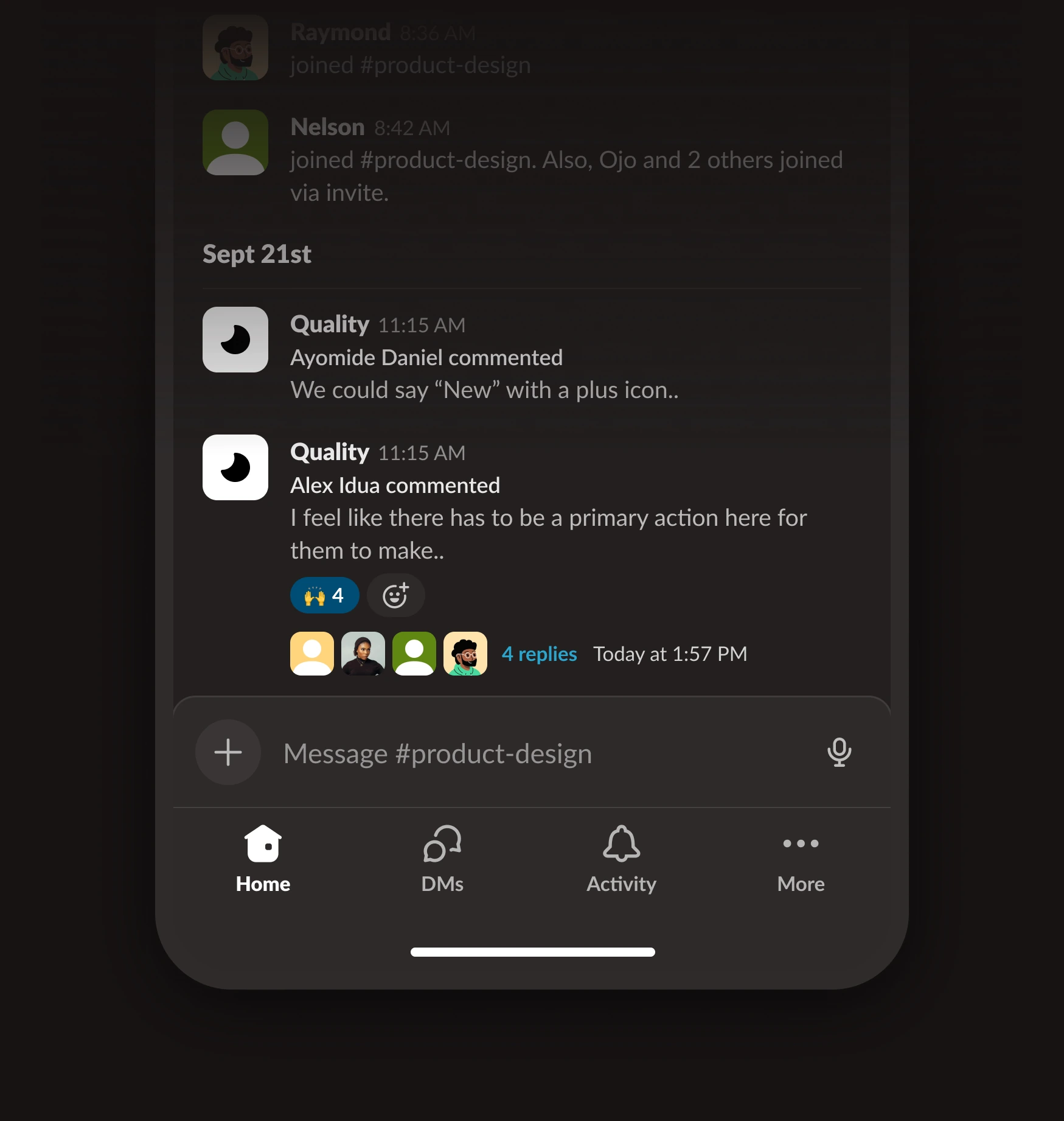

Connect Slack to a quality project with your preference settings.

Receive threads on the connected channel. Stay on top of things.
Point your agent at a thread and it reads the replay, console, network calls and every click behind it. No re-explaining the bug.